Direct modification of the optical system in OpticStudio#
This example demonstrates how to use the Optiland backend to directly modify the optical system in OpticStudio. Similar code for the Optiland backend can be found in the user guide.
#
import visisipy

visisipy.set_backend("opticstudio")

model = visisipy.EyeModel()
model.build()
Obtain the backend object and save the model#
backend = visisipy.get_backend()
backend.save_model("eye_model.zmx")
Insert a new surface#
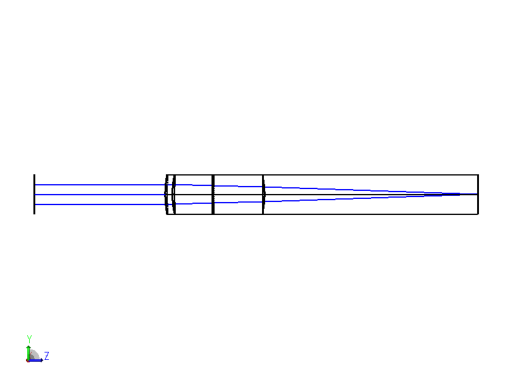
Insert a dummy surface 10 mm before the cornea front. This does not have any optical effects, but it helps to visualize the incoming beam in the system plots.
oss = visisipy.get_oss()

dummy_surface = oss.LDE.InsertNewSurfaceAt(1)
dummy_surface.Comment = "dummy surface"
dummy_surface.Thickness = 10.0
Run an OpticStudio analysis#
Visisipy does not provide wrappers for all OpticStudio analyses.
Using ZOSPy and the oss object, these analyses can still be run.
This is how to show the 3D viewer output of the optical system:
import matplotlib.pyplot as plt
import zospy as zp

cross_section = zp.analyses.systemviewers.Viewer3D(
    surface_line_thickness="Thick", rays_line_thickness="Thick", number_of_rays=5, delete_vignetted=True
).run(oss)

plt.imshow(cross_section.data)
plt.axis("off")

plt.show()